

Short answer: Audio-Technica headphones for gaming are an excellent pick if you prioritize accurate sound, comfort, and build quality over integrated microphones and simulated surround. After comparing studio-focused models with the brand’s gaming-oriented releases and testing them in competitive FPS and single-player titles, the trade-offs became clear.
When Audio-Technica Headphones for Gaming Make Sense
Choosing Audio-Technica makes sense for players who want directional clarity from well-tuned drivers and prefer to add a separate microphone if needed. Studio-style models deliver a relatively flat frequency response that preserves positional cues in footsteps and environmental details. Closed-back designs reduce external leakage for late-night sessions, while open-back models widen the soundstage for games that benefit from environmental immersion.
Personal testing included a side-by-side listen of studio monitors and the company’s gaming offerings with both PC and console sources. Solo tests focused on panning, midrange clarity, and bass control using a USB DAC on PC and the controller output on console. Results showed consistent imaging accuracy across models intended for monitoring; gaming-specific models offered more retail conveniences like detachable cables and onboard mic options, but rarely matched studio phones for neutral mids.
How Audio-Technica Headphones Produce the Gaming Advantages
Drivers, enclosure type, and tuning drive how well you hear positional audio in-game. Audio-Technica prefers precise driver control and modest bass emphasis for many of its studio lines, which preserves mids where most game cues live. Metal and reinforced plastic in the headband and cups reduce flex and long-term fatigue, contributing to consistent seal and driver alignment over extended sessions.
AUDIO-TECHNICA’S driver tuning prioritizes low distortion and accurate transient response rather than boosted sub-bass. That design points to advantages in competitive scenarios where hearing the start of a footstep or a distant gunshot matters more than a chest-thumping soundtrack. Impedance and sensitivity choices on certain models also influence whether you need amplification; lower-impedance models pair well with consoles and mobile devices while higher-impedance ones reveal additional detail when fed by a DAC/amp.
Which Audio-Technica Models Work Best for Gaming
Comparing the main options side by side, three categories emerge: studio monitors, audiophile/open-back headphones, and dedicated gaming models. Differences center on enclosure type, built-in microphone presence, and accessory options like detachable cables and wireless connectivity.
| Name | Price / Key Spec | Best For |
|---|---|---|
| ATH-M50x (closed-back) | Closed-back; detachable cable; studio monitoring sound | Players who want balanced, portable cans with good isolation |
| ATH-M40x (closed-back) | Closed-back; lighter than M50x; studio-oriented | Budget-conscious listeners who value mid clarity and durability |
| ATH-AD700X (open-back) | Open-back; wide soundstage; lightweight | Single-player immersion and spatial awareness in large-game environments |
| ATH-G1 (gaming model) | Closed-back; detachable boom mic option; gaming tuning | Multiplayer chat and console play where mic and comfort matter |
| ATH-G1WL (wireless gaming) | Wireless; low-latency mode; detachable mic | Players needing a wireless option with a gaming-tailored feature set |
Personal side-by-side listening used identical tracks and in-game scenes across titles to evaluate imaging, frequency balance, and comfort. Studio models tended to place voices and footsteps cleanly at mid frequencies. Gaming-branded models offered slightly more emphasized bass and a tuned presence band to make explosions and voices sound fuller in casual play.
Which Should You Pick for Games?
Open-back headphones create a sense of space that many players favor for single-player exploration and cinematic titles. Sound tends to breathe and extend, helping players locate environmental clues across wider horizontal angles. Room acoustics matter more with open-back designs, so quiet environments yield the best experience.
Closed-back headphones isolate external noise and preserve low-frequency energy, which benefits multiplayer sessions where external distractions would reduce situational awareness. Isolation also prevents sound leakage during long communal gaming sessions. Comfort trade-offs can appear because closed-back cups sometimes trap heat; modern padding and mesh options mitigate that in several Audio-Technica designs.
How to Add a Mic to Studio Headphones
Many Audio-Technica headphones lack built-in boom mics because they were designed for monitoring rather than voice chat. Attaching a microphone becomes necessary for multiplayer communication and streaming. Several practical options provide clear voice capture without changing your headphone choice.
- Attach a clip-on USB or analog boom mic such as a detachable modmic that mounts to the cup.
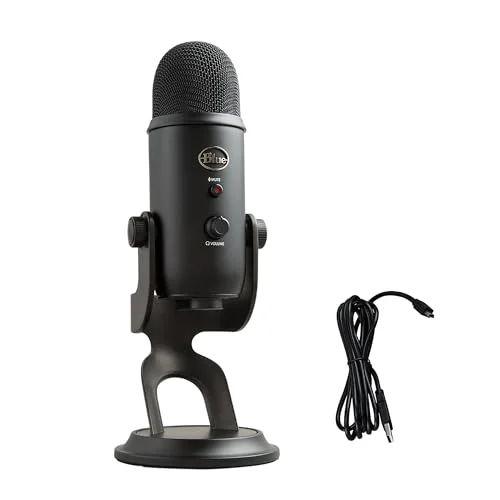
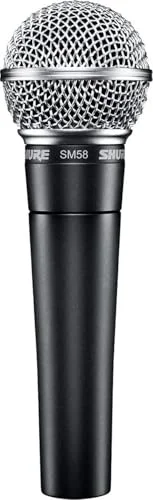
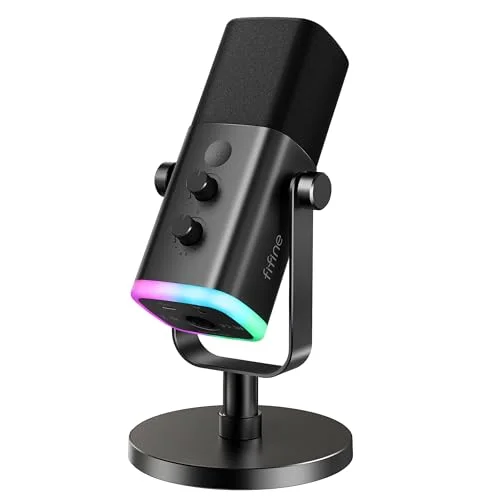
- Use an external USB microphone for desktop setups and mute the headset mic entirely.
- Select a small inline controller with mic if you need a simple wired chat solution for consoles.
- Use a gaming adapter or USB sound card that supports mic input and virtual surround when required.
Real-world testing with a detachable boom mic on closed-back studio phones produced cleaner dialog and less breath noise than a controller headset mic. Background noise rejection depends more on mic capsule type and positioning than on the headphone itself.
Setup: DACs, Amps, Virtual Surround, and Latency
PC users get the most out of Audio-Technica models by adding a DAC/amp when driving higher-impedance units or chasing lower noise floors. Console players should check controller output levels and consider a powered USB DAC for improved headroom and clearer highs. Virtual surround can help some competitive titles by enhancing lateral cues but often introduces processing artifacts.
Low-latency wireless matters for timing-critical gameplay when using wireless models. Wireless gaming headsets that include a dedicated dongle typically provide lower latency than generic Bluetooth pairs. Wired connections remain the lowest-latency option and the easiest route to consistent performance on PC and console.
A basic recommended setup list:
- Plug headphones into a trusted source and confirm default audio device selection in system settings.
- Add a USB DAC or amp if model impedance exceeds what the source can comfortably drive.
- Calibrate in-game audio settings and disable post-processing that alters positional cues.
- Attach a boom mic or route chat through a dedicated desktop microphone for voice clarity.
- Test latency-sensitive scenes and switch to wired if timing feels off.
Practical Buying Recommendations by Use Case
Competitive FPS players need imaging precision more than bass weight, so a studio-focused closed-back model often wins. Audiophile gamers who split time with music and movies should prefer neutral-sounding models that reproduce mids faithfully. Content creators and streamers will prioritize headsets with convenient mic solutions and long-wearing comfort.
Recommendations by scenario:
- Competitive multiplayer: Choose a closed-back, low-impedance model that pairs well with a DAC and accepts a mountable boom mic. Consistent imaging in the mid-band supports quick positional awareness.
- Immersive single-player: Pick an open-back headphone to enjoy expansive soundstage and natural reverb. A lightweight design improves comfort during long story sessions.
- Console couch play: Favor detachable-cable models with inline controls for quick muting and volume adjustments. A simple USB DAC can be shared between consoles in some setups.
- Streaming and recording: Use studio headphones with a separate desktop microphone to maximize vocal fidelity and reduce bleed into game audio captures.
Common Mistakes and What to Avoid
Rushing to buy the flashiest gaming-branded set without considering enclosure type often leads to disappointment. Some players expect boomy, cinematic bass from studio monitors and then complain they sound thin; mismatch between expectations and tuning causes that frustration. Expect to pair many Audio-Technica models with an external mic if you need chat functionality.
Buying tips to avoid common pitfalls:
- Do not assume gaming features are present on studio models; check for detachable boom mics and cable types.
- Avoid using default in-game audio processing until you test raw output – many enhancements alter positional fidelity.
- Skip wireless options if you cannot tolerate any latency or if your playstyle requires wired reliability.
- Don’t rely on smartphone volume alone when driving high-impedance headphones; add an amp if audio is weak or distorted at high volumes.
How to Test Any Headset Before You Commit
Testing lets you verify imaging, comfort, and mic performance in your own environment. Ask for a return window or audition at a local store if possible. Bring familiar music tracks and a short in-game clip that highlights footsteps, voices, and explosions to compare across models.
A simple testing checklist:
- Confirm comfortable clamping force and padding placement.
- Listen for clear mids and distinct footsteps in a competitive map segment.
- Check for distortion on loud effects and overall dynamic control.
- Attach your intended microphone and test voice clarity and background rejection.
- Evaluate heat buildup after 30-60 minutes of continuous use.
FAQ
Are Audio-Technica headphones good for competitive gaming?
Many competitive players favor Audio-Technica headphones for their accurate mids and controlled transients that improve positional awareness. Pairing with a dedicated mic and disabling excess processing typically yields the best competitive setup.
Do Audio-Technica gaming models include a mic?
Some Audio-Technica gaming-branded models include a detachable boom mic or offer a mic accessory, while most studio-focused lines do not. Attaching an external mic is a common solution for non-gaming models.
Will I need an amplifier or DAC for Audio-Technica headphones?
You will need amplification if you choose a high-impedance model or if your source produces low volume and clipping at high gains. Low-impedance versions work fine directly with consoles and phones, but a USB DAC improves clarity on PC.
Can Audio-Technica headphones provide good surround for consoles?
Hardware-level surround usually comes from console processing or external sound cards rather than the headphones themselves. Audio-Technica cans reproduce stereo information accurately, and many proprietory virtual surround processors can make stereo cues feel wider, though processing can sometimes reduce pinpoint accuracy.
Are open-back Audio-Technica headphones bad for online multiplayer?
Open-back models are not bad for online multiplayer; they simply leak sound and let external noise in. That trait makes them less suitable in noisy rooms or for playing late at night near others.
Verdict and Next
Audio-Technica headphones are a solid choice for gamers who value accurate sound reproduction, durable construction, and long-term comfort, with the caveat that you may need to add a microphone or DAC depending on the model and use case. If you want a single recommendation, pick a closed-back studio model with a detachable mic mount for competitive play, or select an open-back model for single-player immersion and then plan to buy an external mic.
Next step: pick one or two models from the comparison table above and audition them with your favorite game and a short music playlist. If auditioning isn’t possible, buy from a retailer that offers a generous return window so you can test imaging, comfort, and mic integration in your real setup.

Leave a Reply