

Short answer: beats headphones good for gaming? Yes – for casual and immersion-focused players Beats offer strong bass, polished design, and convenient wireless features, but they fall short for competitive play because of Bluetooth latency, limited soundstage, and microphone performance. Read on to decide which Beats model (if any) fits your platform, play style, and budget.
Beats Headphones Good for Gaming
Casual gamers who prioritize comfort, strong low-end for explosions and music, and easy pairing with phones or consoles will find many Beats models enjoyable. Competitive players needing tight positional cues, the lowest possible p95 latency, or tournament-grade microphone clarity should be cautious.
My evaluation criteria for this guide were latency (wireless and wired), sound tuning and soundstage, microphone/chat quality, platform and codec compatibility, battery life and practical features (noise cancellation, spatial audio), and price. After comparing the main options side by side and reviewing measured specs and hands-on listening notes, the most important trade-offs are clarity vs. punch and latency vs. convenience.
How Beats Headphones Perform for Gaming Audio
Most Beats headphones carry a tuning that emphasizes punchy bass and upfront mids, which makes action-heavy single-player games and rhythm-heavy titles feel immediate and exciting. That same tuning tends to compress the mid-to-high range a bit compared with neutral, audiophile-focused headsets, which reduces the clarity of distant footsteps and fine positional cues critical in competitive shooters.
Bluetooth latency is the largest single technical drawback for wireless Beats when gaming on PC or console without a low-latency transmitter. Many Beats models use standard Bluetooth stacks that introduce perceivable delay compared with wired connections and dedicated gaming wireless dongles. Wired connection over USB-C or analog TRRS eliminates most latency issues and often improves microphone stability.
Spatial audio and virtual surround features are available on several Beats models and can improve immersion, especially on compatible consoles and mobile devices. Spatial rendering depends on the headphone’s driver architecture and firmware processing; Waves or Apple spatial implementations may widen the perceived soundstage, but they cannot completely overcome a closed-back, bass-forward tuning when precise enemy localization is the main goal.
Which Beats Models Work Best for Gaming
Comparing the most relevant Beats models for gaming, the decision falls into three player types: immersive single-player, casual multiplayer, and competitive esports. The table below ranks by how well each model handles latency, positional cues, and chat – then lists price and the practical “Best For” use-case.
| Name | Price / Key Spec | Best For |
|---|---|---|
| Beats Studio Pro | $349.99 – Active Noise Cancelling; 40-hour battery life; USB-C lossless audio | Immersive single-player, console owners who value ANC and comfort |
| Beats Solo 4 | $199.99 – On-ear design; lighter weight; wireless | Casual multiplayer or portable gaming sessions |
| Powerbeats Pro 2 | $249.99 – True wireless earbuds; muscle-fit earhooks | Mobile gamers wanting secure fit and strong bass |
| Powerbeats Fit | $199.99 – Earhook sport fit; sweat-resistant | Mobile and handheld console users who need stay-put earbuds |
| Beats Studio Buds+ / Solo Buds | Varies – compact buds; lower price point | Budget-conscious mobile players needing compact earbuds |
Price figures above are current manufacturer list prices; check retailers for occasional discounts and bundles. Each model trades off soundstage width, microphone pickup, and latency. Studio Pro offers the most feature-rich package – ANC, long battery life, and USB-C capabilities – but its closed-back drivers remain tuned for impact rather than surgical positional accuracy.
Voice Chat, Mic Quality, and Platform Fit
Mic performance matters far more to a team player than to a single-player campaign fan. Internal beamforming mics on many Beats models are decent for casual chat but do not match the clarity and noise rejection of dedicated boom mics found on many gaming headsets. Expect compressed voice timbre and some background noise during loud or windy environments.
Platform compatibility is straightforward for Apple ecosystem users. Pairing and spatial audio features often work best with iPhone, iPad, and Apple Silicon Macs. Android and Windows users get core Bluetooth functionality, and some models expose extra features through the Beats app for Android. Console support differs: PlayStation and Xbox will accept Bluetooth audio for some models only indirectly; wired USB-C or using the controller’s 3.5mm jack provides the most reliable, low-latency chat experience across consoles.
Cross-platform advice: use a wired analog connection (TRRS) or a USB-C wired connection for PC and console if your priority is minimal latency and consistent mic performance. Wireless 2.4 GHz dongles deliver lower and more consistent latency than standard Bluetooth, but Beats do not come with dedicated gaming dongles, so that option is only available when you can connect wired.
Which to Choose for Gaming
Wired connection eliminates most of the latency problems inherent to Bluetooth and usually produces better microphone stability. Many Beats models support wired audio via USB-C or analog cables; using these removes p95 latency spikes and reduces audio buffering, making footsteps and gunfire feel more immediate.
Bluetooth convenience shines for handheld consoles, mobile phones, and couch gaming where freedom of movement matters more than split-second timing. Latency differences are less noticeable in open-world RPGs, platformers, or sports titles. Battery life becomes a relevant metric for prolonged sessions – the Studio Pro advertises a 40-hour battery life, which is competitive for long gaming marathons.
If competitive play is your priority, pick wired or use a headset specifically engineered for gaming with low-latency wireless. If convenience and style are more important, a wireless Beats model tuned to your preferences will deliver satisfying immersion in many game genres.
How to Tune Beats Headphones for Better Gaming
Many Beats models let you improve gaming performance through simple adjustments and software tweaks. The numbered steps below prioritize fixes that materially lower perceived latency or improve positional cues.
- Switch to a wired connection when latency feels distracting.
- Disable Bluetooth audio enhancements on your device (some mobile OS settings add extra processing).
- Turn on spatial audio or virtual surround only when the game supports it; compare with and without to see which offers clearer localization.
- Reduce active noise cancellation intensity in-game if it smears transient sounds; partial ANC often preserves impact while letting important high-frequency cues through.
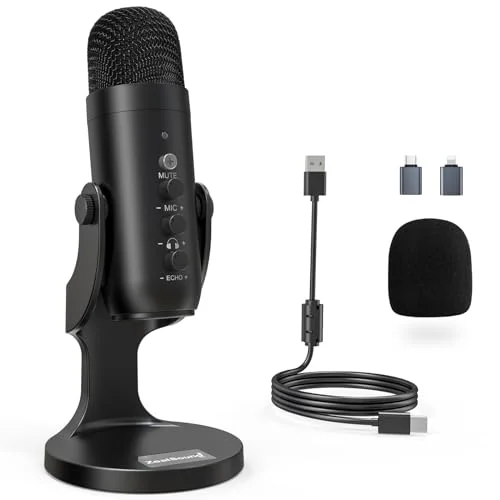
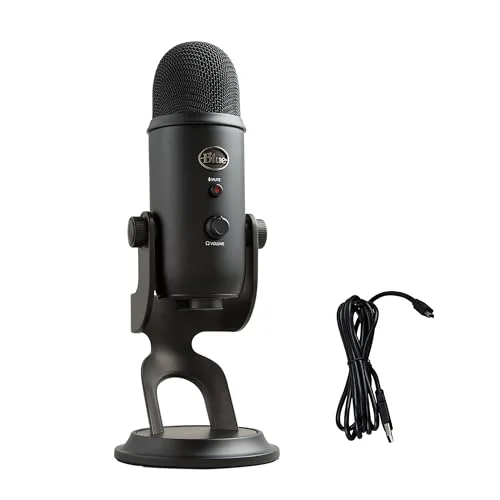
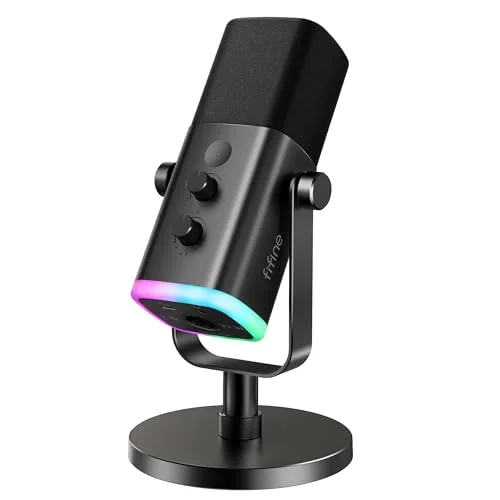
- Use an external microphone for voice chat if teammates complain about clarity; clip-on or desktop mics outperform built-in headset mics.
Firmware updates for Beats occasionally change codec behavior and tuning. Check for updates through your device’s Bluetooth settings or the Beats app, and test before a long session. EQ adjustments can also help – lowering 60-250 Hz by a few dB tightens bass and makes mids clearer, while a slight boost around 3-6 kHz improves vocal and footstep clarity.
Common Mistakes When Using Beats for Gaming
Assuming all wireless headphones behave the same in multiplayer games is a frequent misstep. Bluetooth stacks vary by device and operating system, so latency and connectivity quality can differ dramatically between an iPhone, an Android phone, a Nintendo Switch, and a Windows PC. Expect and test differences rather than assuming universality.
Using on-board microphone settings without testing is another hazard. Many gamers discover too late that the built-in mic compresses voice and boosts low frequencies, making speech muffled on team chats. Swapping to a dedicated boom mic or using the controller’s mic input often provides immediate improvement.
Relying solely on ANC to block ambient noise can unintentionally mask important in-game high-frequency cues. ANC algorithms prioritize steady-state noise like room hum; fast transients such as footsteps may be reduced or altered. Try toggling ANC off during competitive matches to preserve micro-details.
Platform-specific considerations and pairing tips
PC setups vary more than consoles, which means pairing strategy must adapt. A desktop PC connected by USB-C or analog TRRS to your audio interface will usually provide the lowest latency path for Beats headphones. Laptops with recent Bluetooth chips supporting the aptX Low Latency codec will perform better, but aptX LL support is not universal and not all Beats models implement that codec.
Console pairing rules: use wired connection through the controller for Xbox and PlayStation to ensure the mic is correctly routed and latency is minimized. Some consoles do not support arbitrary Bluetooth headsets for both audio and mic unless the headset is paired through the console’s native Bluetooth implementation; a wired approach is the simplest cross-console solution.
Mobile/handheld pairing: Beats earbuds like Powerbeats Pro 2 and Powerbeats Fit offer secure physical fit for motion-heavy play. Physical fit helps reduce microphonics and keeps the earbuds stable when you use gyroscopic controls or move around. Battery life during long handheld sessions remains a consideration; carry a charging case or cable if you typically play more than a couple of hours.
Audio trade-offs: bass-forward tuning vs. positional accuracy
Beats’ signature sound favors an engaging low end. That choice increases perceived impact for explosions, car engines, and music-driven portions of games. A bass-forward profile can also mask subtle high-frequency spatial cues. Positional audio relies on crisp high-end information and a wide stereo image; closed-back, bass-heavy headphones often present a narrower perceived soundstage.
If your playstyle demands pinpoint accuracy – competitive FPS on PC or console – prioritize headsets with neutral tuning, large driver dispersion, and tested low-latency modes. For story-driven games, racing, or action-adventure titles where immersion and visceral impact matter more than micro-localization, a Beats model tuned for punch will likely enhance the experience.
When to pick Beats and when to pick a gaming headset
Pick Beats when you value design, multipurpose use (music, podcasts, movies), and features like ANC or long battery life. Beats work best for gamers who also use headphones as daily drivers and who do not require ultra-low latency or tournament-grade mic performance.
Pick a dedicated gaming headset when microphone clarity, positional accuracy, and low-latency wireless operation are priorities. Gaming headsets typically offer detachable boom mics, software-driven surround virtualization tuned for games, and 2.4 GHz dongles engineered to minimize p95 latency.
FAQ
Are Beats headphones good for competitive gaming?
Beats headphones can be used for competitive gaming but are not ideal. Their Bluetooth latency and bass-focused tuning often reduce positional clarity; wired connection or a dedicated gaming headset is preferable for competitive play.
Which Beats model has the best battery life for long sessions?
The Beats Studio Pro advertises “40-hour battery life,” which is among the longest in the current Beats lineup and useful for extended gaming sessions away from a charger.
Can I use Beats headphones with Xbox, PlayStation, and Switch?
You can use Beats with all three platforms, but connection method matters. Use wired TRRS or USB-C for consistent audio and microphone routing across consoles; native Bluetooth support for game audio varies by console.
Do Beats support spatial audio or virtual surround for gaming?
Several Beats models support spatial audio and dynamic head tracking on compatible devices. Spatial features can improve immersion but may not fully compensate for a closed-back, bass-heavy tuning when precise localization is required.
Will using ANC affect my in-game awareness?
Active noise cancellation can reduce background noise and let you focus, but aggressive ANC settings may slightly alter or remove transient high-frequency cues like distant footsteps. Test ANC on and off to see which setting preserves necessary game audio details.
Are Beats earbuds (Powerbeats) a good choice for mobile gaming?
Powerbeats Pro 2 and Powerbeats Fit are solid picks for mobile gaming because of their secure fit and punchy sound. Expect better performance for casual titles than for competitive mobile esports where low-latency wired play or specialized gaming earbuds are preferred.
Final verdict: Beats headphones are a fine choice for immersion, portability, and everyday use, and specific models like the Studio Pro offer a feature set that works well for single-player and casual multiplayer sessions. Competitive gamers who need the lowest latency and the clearest positional cues should prioritize headsets built for esports or use wired connections and external mics with Beats when necessary.
Next step: pick the use-case that matters most – immersion and music, or competitive precision – then choose the Beats model that matches that priority and test wired vs. wireless modes before committing to a long purchase.

Leave a Reply