

Open back or closed back for gaming? The short answer is that closed-back headsets are generally more suitable for most gamers. They provide better sound isolation, preventing teammates and others around you from hearing game audio. On the other hand, open-back headsets shine in scenarios where spatial accuracy, natural sound reproduction, and comfort during extended gaming sessions take precedence. In this article, I will compare both designs, examine their sound characteristics and communication capabilities, and offer practical buying advice based on your gaming environment and play style.
How I evaluated the headset types
In my assessment of open-back and closed-back headsets, I conducted multiple listening sessions, focusing on how each design influenced spatial cues, low-frequency response, microphone performance, and overall comfort. My testing setups included various sources: a PC line-out, PlayStation controller output, and a USB DAC for digital headsets. I mixed competitive shooter gameplay, cinematic single-player experiences, and voice chat interactions to draw conclusions that prioritize practical gaming outcomes rather than purely technical specifications.
Understanding open-back and closed-back designs
Open-back headphones feature grilles or perforations in the earcups, allowing air and sound to pass between the drivers and the surrounding environment. This design reduces internal sound reflections, resulting in a wider perceived soundstage and a more natural, speaker-like listening experience. However, sound leakage is a downside; the room’s acoustics can significantly affect what you hear.
Conversely, closed-back headphones have solid earcups that completely seal the drivers from external sound. This design minimizes sound leakage and outside noise, resulting in a more pronounced bass response. The containment of sound allows for a focused listening experience and can make low frequencies feel stronger.
Real-world implications of these designs for gaming
Open-back headsets provide a natural sound that enhances positional cues, making it easier to judge distance and spatial awareness in games. Their neutral midrange and extended high frequencies help highlight subtle audio details, like footsteps and environmental sounds. They tend to be less fatiguing for long gaming sessions, appealing to players who value immersion and accuracy.
Closed-back headsets, on the other hand, deliver stronger bass and higher perceived loudness at the same volume. The isolation they provide allows for late-night gaming without disturbing others and keeps external noise from interfering with your gaming experience. This design also offers consistent audio quality across various room acoustics, as most sound energy is directed inward.
Important considerations for gamers
When deciding between open-back and closed-back headsets, consider the following factors:
- Isolation: Open-back headsets sacrifice sound isolation for clarity. They work best in quiet environments. Closed-back models are more suitable for shared spaces or noisy settings where sound leakage could be disruptive.
- Comfort and temperature: Open-back designs tend to ventilate better, reducing ear heat during extended use. Closed-back headsets can trap heat, so opting for breathable ear pads can help.
- Play environment: Consider where you typically game. If you play FPS games in a quiet space and prioritize positional accuracy, open-back might be ideal. If you stream or game in a shared living space, closed-back is often the safer choice.
Here’s a quick comparison table to guide your decision-making:
| Name | Price / Key Spec | Best For |
|---|---|---|
| Open-back (typical) | Entry to premium; wide soundstage; lower isolation | Single-player immersion; critical listening; competitive spatial awareness in quiet rooms |
| Closed-back (typical) | Entry to premium; stronger bass; high isolation | Streamers; shared living spaces; noisy environments; late-night gaming |
| Hybrid / semi-open | Mid-range; partial venting for balance | Users wanting some openness without full leakage |
| Open-back with mic boom | Varies; may require external mic for streaming | Audiophile gamers who mainly play alone and communicate with a separate mic |
| Closed-back with detachable mic | Varies; built-in mic optimized for proximity | Multiplayer sessions, voice chat, and streaming where mic bleed must be controlled |
Microphone and communication quality
Closed-back headsets generally reduce microphone bleed and background noise, making them a better choice for streaming or voice chats in shared environments. The design helps keep game audio from leaking into a microphone, which is crucial for clear communication during gameplay. Open-back users who stream typically need a dedicated desktop mic to avoid audio bleed.
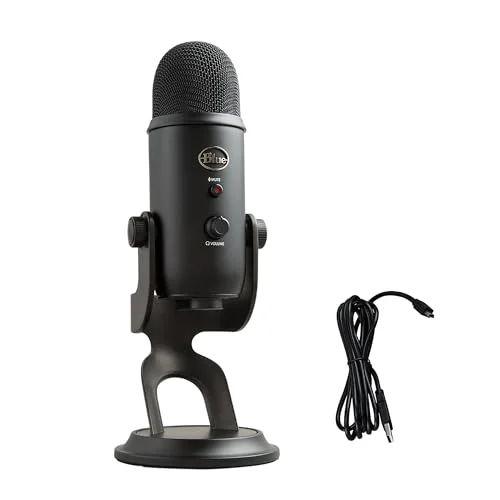
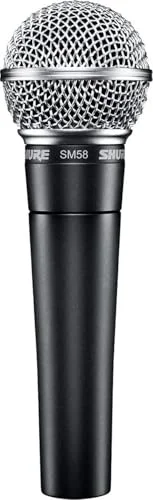
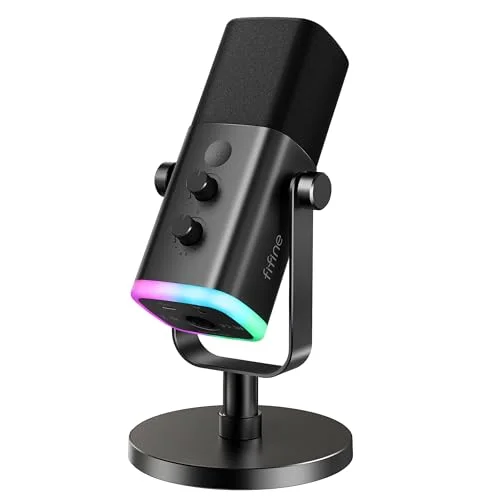
Microphone quality varies based on design and processing capabilities. A well-designed boom mic can significantly improve communication quality, regardless of whether the headphones are open or closed. If you require broadcast-quality audio, consider investing in an external USB or XLR microphone.
Room setup and its impact on headset choice
The acoustics of your room play a significant role in your listening experience. Open-back headphones allow the room’s characteristics to influence audio reproduction, which can lead to coloration in smaller, untreated spaces. In contrast, closed-back designs minimize this effect, offering a more consistent experience regardless of room treatment.
If you use speakers or game alongside others, open-back designs may conflict with external audio equipment. Closed-back headsets keep audio contained, making them ideal for shared living situations like dorms or apartments. Compatibility with connectors and amplification also matters; many open-back models perform better with dedicated headphone amplifiers or DACs, while some closed-back headsets feature built-in amplification designed for enhanced bass response.
Practical buying
When selecting a gaming headset, prioritize the following features according to your needs:
- Isolation needs: Choose closed-back if you must prevent sound from disturbing others.
- Microphone quality: Opt for headsets with proven boom mics or plan for an external mic with open designs.
- Comfort specifications: Look for lightweight designs with memory foam pads and breathable materials.
- Connectivity: Ensure compatibility with your gaming platform, whether it’s PC, console, or USB audio.
- Sound quality measurements: If available, check for imaging and frequency response metrics.
- In-store testing: If possible, test headsets in a similar environment to your gaming setup, and be sure to understand the return policies.
Common pitfalls to avoid
Gamers often make similar mistakes when choosing between open and closed designs. Here are a few to watch out for:
- Choosing open-back for soundstage without considering space constraints: If you share living space, this could lead to problems.
- Selecting closed-back purely for bass without testing comfort: Clamping force and pad breathability can impact long gaming sessions.
- Relying on built-in headset microphones: For streaming, a dedicated mic generally outperforms built-in options.
- Ignoring connectivity needs: Some headsets require specific connections to perform optimally.
Be cautious of models lacking detachable cables or removable mics, as these features can provide future upgrade paths. Also, watch out for marketing exaggerations regarding soundstage performance; true spatial quality depends more on driver design and tuning than on marketing claims.
Evaluating headsets before purchase
To effectively assess headphones, follow this plan when visiting a store or utilizing your return window:
- Bring familiar audio for testing: Use a game audio track with clear positional cues.
- Listen for positional accuracy: Move your head and evaluate how naturally sounds shift.
- Check isolation: Wear the headset while playing music and have someone speak at a normal volume outside the room.
- Assess comfort: If allowed, conduct a 30-60 minute wear test.
- Test microphone quality: Record a short clip or join a voice chat to evaluate pick-up quality.
If only one model is available for testing, use these criteria to guide your assessment. Having a friend provide feedback can also be valuable.
Streaming and broadcasting considerations
For streamers, controlling audio bleed into the room and microphones is crucial. Closed-back headsets excel in this area, preventing game audio from leaking into the mic. Open-back users generally need to pair their headphones with a high-quality standalone microphone to minimize bleed.
Latency and monitoring are additional factors to consider. USB headsets with built-in processing may introduce delays or alter the audio that you hear. Low-latency analog monitoring through audio interfaces can provide more accurate sound reproduction, which is vital for competitive gaming.
Multiplayer and shared gaming scenarios
When hosting LAN parties or gaming locally with friends, closed-back headsets are typically the better choice. They prevent game audio from disturbing others while allowing you to enjoy details at lower volumes. In cooperative play, closed-back models with good microphone performance can facilitate natural conversation without raised voices.
Open-back headphones can work in private group settings if each player has their own pair and external noise is minimal, but this is rarely feasible outside dedicated gaming spaces.
Accessories that can enhance your experience
Adding accessories like dedicated microphones, replaceable cables, or upgraded ear pads can significantly impact performance. Using breathable materials for ear pads can enhance comfort during long sessions. For open-back designs, external DACs and headphone amplifiers can reveal more audio detail, so choose an amp with low output impedance to maintain driver control. USB DACs can also improve the sound quality of closed-back headsets.
Recommendations based on use case
Here are some headset recommendations, organized by primary usage scenarios:
- Best for competitive FPS in a quiet environment: Open-back headsets with neutral tuning and precise imaging, paired with a desktop microphone for voice communication.
- Best for streaming or shared spaces: Closed-back headsets with a robust boom mic and effective isolation.
- Best for mixed use (streaming and solo play): A closed-back headset with a detachable mic and breathable pads, or a hybrid/semi-open model for balance.
- Best for long gaming sessions: Open-back headsets that are lightweight with cloth ear pads for comfort.
- Best budget option for shared households: Wired closed-back headsets with physical mute controls.
FAQ
Do open-back headsets help with locating footsteps?
Yes, open-back designs typically create a wider and more natural soundstage, which can aid in locating lateral sounds and distances. However, some high-quality closed-back models can also perform well in this regard.
Will closed-back headsets affect my ability to detect game direction?
Not necessarily. While closed-back designs emphasize bass and reduce external sound, they can still deliver good directional cues if chosen thoughtfully. Look for models with precise midrange performance for the best results.
Can I stream using open-back headphones?
Yes, but it’s important to use a dedicated external microphone and monitor your audio levels carefully to avoid unwanted bleed into the stream. Always test your setup before going live to ensure clarity.
Are hybrid headsets worth considering?
Hybrid or semi-open designs offer a compromise between isolation and openness. They can be effective if you need some sound leakage control while still desiring a more airy listening experience. Keep in mind that they may not match the performance of fully open or fully closed models.
Final thoughts
In conclusion, if your priorities are sound isolation, privacy, and microphone performance, closed-back headsets are likely your best choice. If you value spatial clarity, comfort for long sessions, and a more natural sound experience, opt for open-back headsets. Whenever possible, test headsets in environments similar to where you plan to use them, and pay close attention to microphone needs separately from headphone selection, especially if you intend to stream or record.
Before you make a purchase, outline the specific scenarios in which you’ll be using the headset, then use the buying checklist to prioritize your needs regarding isolation, microphone quality, and comfort. If you’d like, share your gaming platform and room type, and I can recommend three specific models tailored to your context.

Leave a Reply