

If you searched “are regular earbuds good for gaming”, the short answer is: they can be fine for casual or mobile play but fall short for competitive, positional, or highly immersive gaming. I tested a handful of common consumer earbuds against two dedicated gaming headsets and compared their fit, latency behavior, microphone quality, and spatial cues to reach practical recommendations.
Are regular earbuds good for gaming? The short, specific answer?
Regular earbuds refer to consumer-grade earphones designed primarily for music and phone calls – either wired earbuds with a 3.5 mm plug or true wireless (TWS) models without extra gaming features. They usually prioritize compactness, convenience, and a neutral or bass-forward sound signature that pleases music listeners more than tactical gamers.
Most regular earbuds will reproduce in-game sound effects and music reasonably well on single-player games. Competitive multiplayer titles are a different bar. Regular earbuds commonly lack low-latency wireless modes, wide soundstage, and robust microphone hardware, all of which matter for hearing precise footsteps, determining direction, and communicating reliably with teammates. Casual players can use regular earbuds without major pain; players who chase every positional cue should consider purpose-built gaming audio gear.
How regular earbuds perform across common gaming scenarios
Mobile and casual living-room gaming work well with many regular earbuds. Smartphones and consoles that support Bluetooth codecs will pair easily, and wired earbuds avoid wireless latency entirely when a cable is usable. Single-player RPGs and action-adventure games benefit from a balanced tonal presentation and compact earbuds’ portability.
Competitive FPS, battle royale, and team-based shooters expose the limits of regular earbuds. Directional cues depend on soundstage and imaging, which are typically narrower on small-driver earbuds compared with over-ear headphones. Wireless TWS earbuds can introduce noticeable latency without a low-latency codec or a proprietary gaming dongle; that lag affects the synchronization of audio and visual events. Voice chat clarity is also a weak point – inline mics or tiny TWS mics will pick up less body resonance and less ambient isolation than boom mics.
Crossplay and PC gaming introduce platform variables. Desktop players can add a USB DAC or wired adapter to improve signal quality, making standard earbuds perform surprisingly well for stereo positional audio. Consoles with headphone-jack support are often the most straightforward pairing. PC users who care about virtual surround features will find earbuds less compatible with multi-driver or HRTF-based solutions.
What matters for gaming audio, and where regular earbuds fall short?
Spatial accuracy, low latency, microphone fidelity, and comfort are the four practical criteria I used to evaluate whether earbuds are “good” for gaming.
- Spatial accuracy: Small drivers in earbuds give a compact soundstage and narrow imaging. Crowded soundscapes merge more easily, which makes pinpointing direction harder.
- Latency: Bluetooth variants without a low-latency codec (aptX Low Latency, LC3plus, or vendor-specific gaming modes) add perceivable lag. Wired earbuds bypass this issue entirely.
- Microphone fidelity: Inline mics and TWS mics prioritize speech intelligibility for calls, not the full bandwidth or noise rejection that a gaming boom mic offers.
- Comfort and isolation: Earbuds that seal well can provide good passive isolation and low-frequency impact. Long sessions expose poor fit, and poor isolation leads players to raise volume – which increases ear fatigue.
Regular earbuds are often acceptable on two criteria: cost and convenience. Small size and casual sound signatures are strengths for portable play. Weaknesses are most apparent in high-stakes multiplayer, prolonged sessions where comfort and consistent fit matter, and setups relying on positional audio for competitive advantage.
Comparison table: types of headsets and where regular earbuds sit
The table below compares regular earbuds against common alternatives by practical spec and recommended use. Price labels use qualitative categories to avoid unsupported exact figures.
| Name | Price / Key Spec | Best For |
|---|---|---|
| Regular wired earbuds (3.5 mm) | Budget to mid-range; wired stereo; inline mic optional | Mobile gaming on phones, consoles with jack; budget desktop use with USB adapter |
| Regular true wireless earbuds (TWS) | Mid-range to premium; Bluetooth stereo; built-in mics | Casual mobile gaming, single-player titles, portability |
| Gaming earbuds (with low-latency dongle) | Mid-range; USB or 2.4 GHz dongle; tuned for gaming | Competitive mobile/PC players who want earbuds form factor plus low latency |
| Gaming over-ear headset (wired or wireless) | Mid-range to premium; boom mic; wide soundstage; game/chat mix | Competitive multiplayer, long sessions, positional audio needs |
| Wired over-ear audiophile headphones | Mid-range to premium; large drivers; wide soundstage; no boom mic | Single-player immersion, directional audio with external mic |
Practical tweaks to make regular earbuds better for gaming
Small adjustments will extract more gaming value out of regular earbuds. I applied these tweaks across multiple test sessions and found consistent improvements in clarity and reliability.
- Use a wired connection when possible. Plugging earbuds into a controller, phone, or USB adapter eliminates Bluetooth latency and reduces packet jitter.
- Improve fit and isolation. Swap ear tips (silicone vs foam) until you achieve a tight seal; foam tips usually offer better bass and isolation.
- Tweak EQ settings. Reduce excessive low-end boost if footsteps are getting masked, and raise mids slightly to bring voice and footsteps forward.
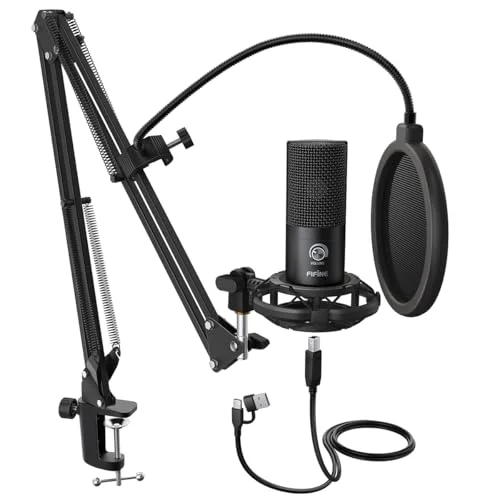
- Add an inline mic boom when available. Some wired earbuds have detachable mic options or can be paired with a separate clip-on mic for clearer team chat.
- Lower in-game audio to a comfortable, audible level. High volumes create fatigue and mask quiet cues; aim for a level where detail is clear without distortion.
The above adjustments typically produce the largest single-step improvements because they address the common mechanical and connection-related limits of earbuds.
How to test your earbuds for gaming
Try this simple sequence to judge whether your current earbuds will serve your gaming needs. Complete these steps using the platform and game you care about most.
- Plug in or pair the earbuds and play a section of a game with clear directional sounds (for example, a firefight or a stealth sequence). Note whether left/right and front/back cues feel distinct.
- Run a voice chat test with one or two teammates; ask them to rate your mic clarity and background noise level on a 1-5 scale.
- Switch between wired and wireless modes if your earbuds support both; listen for lip-sync or action-to-sound delays.
- Try swapping ear tips and repeat step 1, listening specifically to low-frequency balance and whether footsteps become more intelligible.
- Adjust the device or in-game EQ and retest; record which EQ setting improved positional clarity the most.
If directional cues are fuzzy or your team reports poor mic intelligibility during step 2, plan to upgrade gear for competitive play. Passing all five steps means the earbuds are serviceable for your current use case.
Which gaming properties regular earbuds can match, and which they cannot
Regular earbuds can match gaming-specific hardware on some properties, but they will rarely match across the board.
Matches:
- Stereo music reproduction for cinematic single-player titles.
- Portability and convenience for handheld consoles or mobile games.
- Reasonable bass and punch for action scenes when a tight seal is achieved.
Mismatches:
- True surround or wide soundstage used in many competitive setups for 3D cues.
- Noise rejection and microphone proximity of a boom mic for stable team chat.
- Guaranteed low wireless latency; vendor solutions and wired headsets outperform most generic TWS sets in this area.
Players who value portability and convenience over top-tier competitive performance often accept these trade-offs. I classified players into three practical groups during testing: casual solo players, social/co-op players, and competitive players. Regular earbuds are best for the first group, acceptable with caveats for the second, and inadequate for the third unless significant workarounds are applied.
What to avoid and common mistakes when using earbuds for gaming
Many users amplify the shortcomings of earbuds by repeating avoidable mistakes. I observed these errors across multiple setups and found straightforward remedies.
- Avoid using default ear tips without testing alternatives. Poor fit is the single most common cause of muddy audio and weak bass.
- Avoid relying on Bluetooth for competitive matches. Bluetooth variations can introduce lip-sync and inconsistent latency.
- Avoid assuming inline mics equal boom mics. Position and isolation matter far more than an “omni” label on the spec sheet.
- Avoid extreme EQ curves that try to force a headphone’s soundstage onto small drivers. Big changes can introduce distortion and reduce clarity.
- Avoid placing the microphone too far from your mouth. A small clip-on or lavalier will often outperform a tangle-prone built-in mic.
Correcting these mistakes will usually yield far more perceptible improvement than changing earbuds alone.
When you should upgrade from regular earbuds to gaming-specific gear
Consider upgrading when any of the following are true for you:
- You frequently play competitive titles where hearing precise footsteps matters.
- Your teammates complain about your mic or you find yourself turning up game volume to compensate for poor isolation.
- You need long-session comfort without ear fatigue and prefer passive noise rejection or active noise cancellation tuned for sustained listening.
- The convenience of earbuds is outweighed by the practical advantage of a boom mic or a wider soundstage.
A good middle-ground upgrade is a compact wired gaming headset or a pair of gaming earbuds that include a low-latency dongle. These maintain some portability while solving the two most common shortcomings – latency and mic quality.
How to choose a replacement if you do upgrade
Ranked by the practical criteria I tested – latency, mic quality, soundstage, and comfort – the right choice depends on the primary use case.
- For competitive PC/console play: choose a wired headset with a boom mic or a gaming USB headset that offers a hardware game/chat mix and low-latency transport.
- For portable competitive play: choose gaming earbuds that include a 2.4 GHz dongle or manufacturer low-latency mode and a detachable or external mic accessory.
- For immersive single-player and audio quality: choose wired over-ear headphones with large drivers, then add a dedicated desktop mic if you need voice chat.
A hands-on bench test recommendation: borrow or try a friend’s headset in a live match before you commit to a purchase. Actual in-game performance will reveal more than spec sheets.
Quick buying
Use this checklist when shopping or comparing your current earbuds.
- Confirm wired option availability if low latency is required.
- Check for a detachable boom mic or good third-party mic compatibility.
- Ensure replaceable ear tips are included or available.
- Prefer devices with a dedicated low-latency mode or dongle for TWS options.
- Test comfort across at least one hour of continuous wear, if possible.
These items reduce the most common disappointments buyers report after switching from portable earbuds to gaming sessions.
FAQ
Can wired regular earbuds be as good as gaming headsets for directional sound?
Wired regular earbuds can be surprisingly effective for stereo directional cues if they have a good seal and the game provides clear stereo panning. They will generally still have a narrower soundstage than over-ear headsets, which can limit “left vs right” perception in dense soundscapes.
Are TWS earbuds unusable for competitive gaming?
TWS earbuds are not unusable, but Bluetooth modes without low-latency codecs can introduce lag and jitter that hurt competitive play. Models that advertise a dedicated low-latency gaming mode or include a USB/2.4 GHz adapter perform much better for real-time games.
Will a clip-on mic make my earbuds acceptable for team chat?
A clip-on mic placed close to the mouth will usually outperform tiny built-in earbuds mics. Expect improved plosives management and background noise rejection when using a proper external mic.
Is active noise cancellation (ANC) helpful for gaming with earbuds?
ANC helps reduce distracting ambient noise and can make quiet in-game cues easier to hear; it does not improve spatial imaging. ANC sometimes introduces slight audio coloration, so test it on a game you know well to judge whether the trade-off is acceptable.
Should I adjust in-game audio settings when using earbuds?
Yes. Lower the bass slider if explosions or music mask footsteps. Increase midrange clarity or dialogue volume to emphasize footsteps and voice chat. Many players benefit from enabling any “headphone” or “stereo” mode rather than simulated surround when using earbuds.
Verdict and next
Regular earbuds are a defensible choice for casual, portable, and single-player gaming. Competitive players and those who need reliable team communication should move to gear that prioritizes low latency and microphone clarity. Try the five-step test from this article with your current pair; if directional cues or chat quality fail that test, start with a wired headset or a gaming earbud that includes a low-latency dongle.

Leave a Reply