
Watching TV late at night while someone sleeps nearby creates a real problem. Cranking the volume up disturbs others, but turning it down ruins the dialogue. Plugging wired headphones directly into a modern TV often mutes the speakers for everyone else.
The solution involves sending the TV audio signal wirelessly to a headset using a small adapter. These devices connect to your television’s existing audio ports and broadcast the sound over Bluetooth. Below is an explanation of how this setup works, followed by ten specific adapters that solve the problem.
Why TV Audio Won’t Reach Your Headphones Naturally
Modern televisions rarely include dedicated headphone jacks anymore. Even when they do, plugging in wired headphones usually cuts off the built-in speakers completely. This section explains why a separate transmitter bridges that gap.
Most flat-screen TVs output audio through HDMI ARC or optical ports designed for soundbars. They lack the internal circuitry to split that signal between external speakers and a headphone jack simultaneously. When you plug standard wired headphones into the rare 3.
5mm port on a TV, the television interprets this as a request to mute its main speakers. That leaves anyone else in the room without sound. A Bluetooth audio transmitter solves this by tapping into the optical or auxiliary output before the TV mutes anything.
It takes the digital or analog audio stream and converts it into a wireless Bluetooth signal. Your headphones receive that signal independently. Meanwhile, the TV speakers continue playing normally for other viewers. This separation allows one person to listen privately while another hears the broadcast out loud.
You simply match the transmitter’s input cable to whatever audio port your specific television model provides.
- Use optical cables for newer smart TVs with digital audio outputs.
- Plug into the 3.5mm AUX port if your older TV lacks optical.
- RCA red and white cables work for legacy televisions without digital ports.
- Always set TV audio output to PCM when using an optical connection.
- Avoid HDMI-only connections since most transmitters cannot read HDMI audio signals.
Stopping The Annoying Lip-Sync Delay During Broadcasts
Wireless audio naturally introduces a slight delay. If the transmitter and headphones process data slowly, actors’ lips move before you hear their words. Understanding latency prevents this frustrating experience.
What Causes Audio Lag Over Bluetooth
Standard Bluetooth protocols compress audio, send it wirelessly, and then decompress it inside the headphones. This entire journey takes time. On a phone call, a half-second delay barely matters. During a fast-paced TV show or movie, however, that same delay causes noticeable lip-sync errors.
The dialogue falls behind the action on screen. Older Bluetooth versions struggle more with this timing issue. Cheaper adapters often use basic codecs that prioritize battery life over transmission speed. The result is a distracting echo effect where the sound trails the picture constantly.
How Low-Latency Codecs Fix The Problem
Advanced audio codecs like aptX Low Latency and aptX Adaptive compress and transmit data much faster. They reduce the delay to roughly 40 milliseconds, which human brains perceive as perfectly synchronized. But there is a catch.
Both the transmitter plugged into the TV and the receiving headphones must support the exact same codec. Pairing a low-latency transmitter with standard Bluetooth earbuds will still produce lag. Before buying any equipment, check the specifications of the headphones you already own.
If they lack aptX support, you may need to upgrade both devices together to achieve perfect synchronization.
Transmitters To Send TV Audio Straight To Your Headphones
The adapters below all accomplish the same core task. They take your television’s audio output and broadcast it wirelessly to your headset. Some excel at range, while others focus on zero-lag performance or ease of use for older adults. Match the features to your specific living room setup.
|
1
|
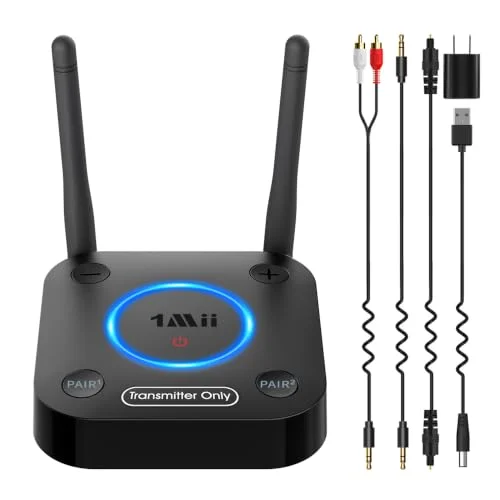
1Mii B06TX Bluetooth 5.3 Transmitter for TV to 2 Wireless Headphone/Speaker | aptX Low Lat |

Dual antennas and aptX Low Latency eliminate lip-sync delay across long distances in large rooms.
The 1Mii B06TX acts strictly as a Bluetooth 5. 3 transmitter for non-smart televisions. It connects via optical, coaxial, RCA, or 3. 5mm AUX inputs. Its standout feature is the dual-antenna design, which amplifies the wireless signal significantly. This helps the audio reach headphones anywhere in a large house.
It also supports aptX Low Latency and aptX HD to keep dialogue synchronized with the video. Two separate pairing buttons allow simultaneous connections to two different headsets.
This adapter suits households where someone needs to walk around while listening to the television. The extended range handles thick walls better than single-antenna models. One limitation is that it only transmits audio; it cannot receive Bluetooth signals from a phone.
Users must also ensure their headphones support aptX Low Latency to actually benefit from the zero-delay feature. Otherwise, standard Bluetooth lag will still occur during fast-paced scenes.
|
2
|
SOOMFON Bluetooth 5.3 Transmitter Receiver for TV to 2 Headphones | 3-in-1 Optical 3.5mm A |

Built-in volume controls let you adjust headphone loudness independently from the main TV remote.
SOOMFON offers a Bluetooth 5. 3 transmitter and receiver combo featuring a clear LCD status display. It connects to televisions using optical, 3. 5mm AUX, or RCA cables. The screen shows exactly which mode is active and what device is currently paired. This removes the guesswork common with LED-blink-only adapters.
It supports dual connections, allowing two headsets to link simultaneously. Automatic reconnection remembers previously paired headphones so you do not have to repeat the setup every time.
The built-in volume control is particularly useful for AirPods users, since Apple earbuds lack physical volume dials. You can raise or lower the sound directly on the SOOMFON unit. Its 10-to-30-meter range covers most apartments easily.
However, when using the optical connection, you must manually change the TV audio settings to PCM format first. Skipping that step results in complete silence from the headphones.
|
3
|
2026 Upgrade Pro Bluetooth 6.0 Transmitter Receiver – 2-in-1 Adapter | For TV, plane, gym, |

Bluetooth 6.0 and a 20-hour battery make it ideal for moving between the TV and airplane seats.
This 2026 Upgrade Pro adapter utilizes Bluetooth 6. 0 technology in a highly compact 2-in-1 form factor. It functions as both a TV transmitter and a wireless receiver for older stereo systems. The device pairs instantly with all AirPods models, Bose, and Sony headphones using system memory.
It includes a dual-prong airplane adapter, making it useful beyond the living room. Fast USB-C charging fills the battery in just 1. 5 hours, providing over 20 hours of continuous playback.
Travelers who watch movies on flights and then switch to the hotel TV will appreciate this versatility. Dedicated buttons handle volume and mode switching without looking at a screen. The ultra-lightweight design fits easily into a pocket.
One important restriction is compatibility: it does not work with live musical instruments, karaoke machines, or Bluetooth hearing aids. It strictly handles pre-recorded media and standard television broadcasts.
|
4
|
MEE audio Connect Bluetooth Audio Transmitter for up to 2 Wireless Headphones/Speakers, Bl |
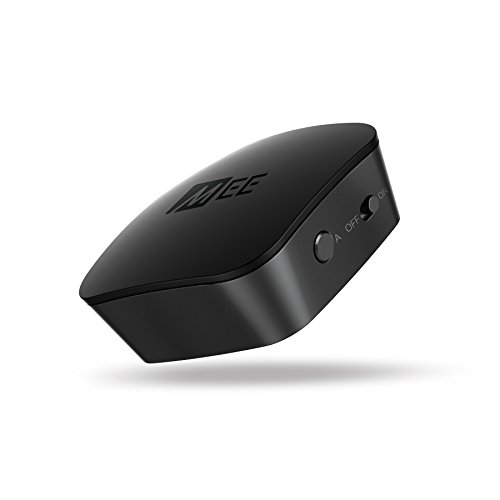
Independent volume controls for two listeners prevent arguments over how loud the TV should be.
MEE audio Connect streams high-definition stereo sound to two wireless headphones simultaneously. It uses Qualcomm aptX Low Latency technology to prevent lip-sync issues during movies. Setup relies on two discrete pairing buttons labeled A and B, controlling each headset independently. It connects to TVs via 3.
5mm, RCA, or optical TOSLINK inputs. All necessary cables come included in the box. The built-in rechargeable battery allows portable use, though it can remain plugged in permanently.
This model excels for couples watching TV together who prefer different volume levels. Each listener adjusts their own headset without affecting the other person. Leaving the unit plugged in avoids battery anxiety entirely. A key limitation involves the optical connection: it will not convert Dolby Digital signals.
You must access the TV menu and force the audio output to PCM mode before sound will transmit properly.
|
5
|
Bluetooth Transmitter Receiver for TV, with RCA 3.5mm AUX & Display Audio Adapter for Home |

A practical LCD screen displays the connected device name so you know exactly what is paired.
This generic Bluetooth transmitter and receiver adds wireless capability to TVs, PCs, and vintage stereos. It supports RCA and 3. 5mm AUX connections for transmitting audio to headphones. In receiver mode, it accepts wireless signals from phones or plays music directly from an inserted TF card.
The most practical feature is the visual LCD screen. It clearly displays the current mode, pairing status, connected device name, and volume level in real time.
Users who dislike deciphering cryptic blinking LED lights will find the screen incredibly helpful. It confirms successful connections instantly without guessing. The compact size keeps it hidden behind the television easily.
Wireless range tops out at 33 feet, which covers a standard living room but might drop out if you wander to the kitchen. It lacks advanced low-latency codecs, so slight audio delays may occur during fast action sequences.
|
6
|
MEE Audio Connect T1CMA Bluetooth Over-Ear Wireless Headphones Headset for TV with no Audi |

Pre-paired headphones and transmitter eliminate setup frustration for seniors or those avoiding technical hassle.
MEE Audio Connect T1CMA is a complete bundle rather than just a standalone transmitter. It includes Matrix Cinema over-ear wireless headphones already paired with the MEE audio Connect transmitter. Qualcomm aptX Low Latency ensures zero audio delay right out of the box.
The headphones feature CinemaEAR audio enhancement specifically tuned for seniors and hard-of-hearing viewers. Soft memory foam padding and a lightweight design support comfortable wear for up to 30 hours per charge.
This package targets older adults who find manual Bluetooth pairing too confusing. Everything arrives ready to use; you simply plug the transmitter into the TV and turn on the headphones. Dual-link technology still allows adding a second headset later if needed. The main drawback is cost and flexibility.
Since you are buying the headphones and transmitter together, you cannot easily swap in your favorite existing earbuds instead.
|
7
|
MEE audio Connect Hub Bluetooth Transmitter/Receiver with Audio Pass-Through for TV/Home S |
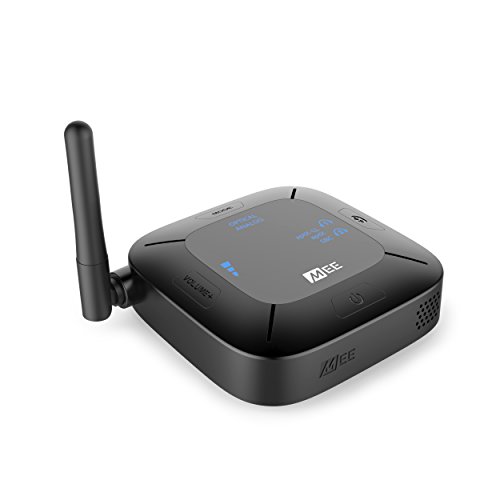
Audio pass-through lets a soundbar play out loud while you listen privately through headphones simultaneously.
The MEE audio Connect Hub combines a Bluetooth transmitter, receiver, and audio pass-through in one unit. Pass-through mode allows you to plug a soundbar into the Hub while simultaneously broadcasting audio to wireless headphones. It supports aptX Low Latency for lag-free viewing.
An adjustable antenna extends wireless coverage up to 98 feet. Voice-assisted setup guides users through the configuration process audibly, removing the need to read tiny manuals.
This device solves a specific household conflict: keeping the soundbar on for family while sending private audio to one viewer. The volume boost feature amplifies weak signals from older analog TVs. It works with optical, RCA, and 3. 5mm connections.
However, achieving the full 98-foot range requires a clear line of sight. Thick concrete walls will significantly reduce that maximum distance in real-world living conditions.
|
8
|
OiDiPi Bluetooth 5.3 Transmitter Receiver for TV and Wireless Headphones, 2-in-1 Bluetooth |
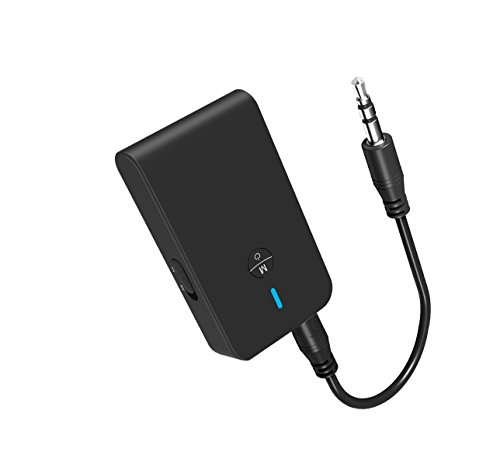
Simple 3.5mm plug-and-play operation gets audio streaming to headphones within three seconds of pressing power.
OiDiPi provides a straightforward Bluetooth 5. 3 adapter focused purely on 3. 5mm AUX connections. It operates in both transmitter mode for TVs and receiver mode for wired car stereos. Status indicators make installation intuitive.
You insert the adapter into the AUX port, hold the multifunction button for three seconds, and wait for automatic pairing. Battery life reaches 10 hours in receiver mode and 8 hours while transmitting TV audio continuously.
This adapter fits users who want the absolute simplest setup without configuring optical settings or PCM modes. Just plug it into the headphone jack and go. The Bluetooth 5. 3 chip reduces power consumption effectively. One major limitation is the strict reliance on 3. 5mm ports.
If your modern TV removed the headphone jack and only offers optical or HDMI outputs, this specific device cannot connect to it at all.
|
9
|
Avantree Audikast 3 – Bluetooth TV Transmitter for 2 Headphones | aptX Adaptive, Volume Co |

aptX Adaptive technology dynamically adjusts audio quality to maintain sync even when signal interference occurs.
Avantree Audikast 3 transmits TV audio to two Bluetooth headphones using aptX Adaptive technology. It connects exclusively through Optical TOSLINK or 3. 5mm AUX outputs. Built-in volume control buttons sit directly on the transmitter chassis.
This proves essential when a TV’s optical output is fixed and cannot be adjusted via the standard remote. The device boasts a 100-foot long-range capability for roaming freely around the home.
The Audikast 3 serves viewers whose TVs lock the optical volume at maximum, causing painfully loud headphone audio. The physical dial fixes that immediately. aptX Adaptive also handles signal interference better than older codecs. Buyers must note a critical restriction: this unit does not work with HDMI-only televisions.
If your TV lacks an optical port or headphone jack entirely, you will need a different audio extraction method first.
|
10
|
KAIY Bluetooth Transmitter for TV to Dual Headphones AUX Adapter | Bluetooth Adapter with |

TF card playback doubles as a standalone music source when you aren’t actively watching television programming.
KAIY produces a dual-mode Bluetooth adapter supporting optical, 3. 5mm AUX, and TF card inputs. It links two headphones concurrently via Dual Link technology. The LCD display shows adjustable volume levels and current operating modes clearly. Low latency decoding keeps audio synchronized with video when paired with compatible headsets.
All essential audio cables are included in the packaging for immediate setup.
Beyond TV listening, the TF card slot turns this adapter into an independent music player for older stereos. You can load MP3 files directly onto a card and broadcast them wirelessly. It explicitly states incompatibility with Apple AirPods, which limits its appeal for iPhone-heavy households.
Standard Bluetooth headphones work perfectly fine, but AirPods users must look at the SOOMFON or 2026 Upgrade Pro models listed above instead.
These ten transmitters cover every common television setup available today. Whether your TV uses optical, RCA, or simple headphone jacks, one of these devices will bridge the gap. The next step is ensuring your new hardware actually performs well over time without unexpected dropouts.
Keeping The Signal Stable While You Move Around The Room
Buying the transmitter is only the first step. Physical obstacles and electronic interference frequently disrupt the wireless connection. Positioning the hardware correctly prevents constant audio stuttering during your favorite shows.
Bluetooth signals travel best through open air. Placing the transmitter flat against the back of a wall-mounted TV often traps the signal against metal components and drywall. Pull the adapter forward using a short extension cable if possible. Keep it elevated rather than hidden inside a closed media cabinet.
Wooden cabinet doors block less signal than glass or metal ones, but open shelving remains superior. Microwaves, Wi-Fi routers, and cordless phones all operate near the 2. 4GHz frequency used by Bluetooth.
Running the microwave while watching TV can cause sudden audio dropouts if the router sits right next to the transmitter. Separate these devices by at least three feet whenever possible. If you experience persistent lag despite good positioning, your headphones might be struggling to maintain the connection.
Re-pairing them from scratch often clears corrupted memory profiles that cause intermittent stuttering.
Move the transmitter away from enclosed media cabinets and metal surfaces.
Separate the adapter from Wi-Fi routers by at least three feet.
Set your television audio output to PCM if using an optical cable connection.
Delete old Bluetooth pairings from your headphones before connecting the new transmitter.
Restart both the TV and transmitter if stuttering persists after repositioning.
When To Choose Optical Versus Auxiliary Connections
Televisions offer multiple audio output ports, but they do not all behave identically. Picking the wrong port leads to silence or degraded sound quality. Here is how to decide which cable to plug in.
Comparing TV Audio Output Ports For Transmitters
| Port Type | Best Used For | Required TV Setting | Common Limitation |
|---|---|---|---|
| Optical (TOSLINK) | Modern smart TVs | Must set output to PCM | Cannot transmit Dolby Digital directly |
| 3.5mm AUX | Older TVs, monitors | Usually plug-and-play | Some TVs mute speakers when used |
| RCA (Red/White) | Legacy CRT televisions | None typically required | Lower audio fidelity than optical |
| HDMI ARC | Soundbars primarily | CEC enabled | Rarely supported by basic transmitters |
Optical connections deliver the cleanest digital audio signal available on most televisions. They avoid the electrical hum sometimes introduced by older analog RCA or 3. 5mm ports. However, optical ports require you to navigate the TV settings menu.
You must change the digital audio output format from Auto or Bitstream to PCM. Transmitters cannot decode compressed surround sound formats like Dolby Digital. If you skip this setting, the headphones will receive dead silence despite appearing connected perfectly. Auxiliary 3. 5mm jacks offer true plug-and-play simplicity.
No menu diving is necessary. The trade-off is that many TV manufacturers wire the headphone jack to automatically disable the built-in speakers when a plug is inserted. If your goal is letting one person listen privately while the room hears the TV speakers, test the 3. 5mm port behavior first.
If it mutes the room, switch to the optical port instead.
You can listen to TV with headphones by connecting a Bluetooth audio transmitter to your television’s optical or auxiliary output port. This device captures the TV sound and broadcasts it wirelessly to your headset without muting the main speakers.
Pick the adapter that matches your specific TV ports and headphone brand from the list above. Today, check the back of your television to see whether it has an optical square port or a round 3. 5mm headphone jack.
Once you identify that port, order the matching transmitter and start watching tonight without waking anyone up.

Leave a Reply