
Not every pair of cans can actually decode Dolby Atmos. The feature demands specific hardware and software handshakes. If you’re pairing with an Xbox, PC, or a streaming box that outputs Atmos, your headphone choice dictates whether you hear that promised three-dimensional soundstage or just standard stereo.
Some headphones carry the Dolby license directly, while others rely on platform-based processing or app-driven tricks. This breakdown clarifies which headphones support Dolby Atmos and why, then highlights real picks that deliver the full spatial experience.
Why Dolby Atmos Needs Matching Headphone Hardware
Dolby Atmos for headphones isn’t just marketing fluff, it’s binaural audio processing that simulates height and direction. The catch? The headphone itself must either carry a license or connect to a platform that does.
Atmos works by rendering multichannel audio into two-channel binaural output. That rendering relies on a calibrated HRTF (head-related transfer function), meaning the headphone’s drivers and software must cooperate. Headphones lacking this license can’t decode Atmos bitstreams, even if the source device sends them.
Apple, Microsoft, and Sony integrate Atmos decoding at the platform level, so only certain headphones gain access through their ecosystem.
Where Dolby Atmos Support Lives
| Platform | Atmos Access | Notes |
|---|---|---|
| Xbox | Built-in (wireless) | Headset pairs directly |
| Windows PC | Dolby Access app or USB | Requires license or certified hardware |
| iPhone/iPad | Spatial Audio | AirPods/Mac only |
| PlayStation | Tempest 3D Audio | No native Atmos support |
Which Devices Actually Output Dolby Atmos Signals
Even Atmos-supporting headphones fall flat if the source device never generates the signal. Understanding platform compatibility prevents wasted upgrades.
- Check if your console or PC outputs a Dolby Atmos bitstream natively.
- Use the Dolby Access app on Windows to enable software-based Atmos.
- Verify your streaming services (Netflix, Disney+) support Atmos output.
- Avoid headphones marketed as Atmos-ready without platform support.
- Test with a known Atmos demo track before committing to a purchase.
On Xbox, plug in any USB or wireless headset , Atmos activates automatically.
On Windows, open the Dolby Access app and toggle Atmos on for your output device.
On iOS, pair supported AirPods and enable Spatial Audio in Settings.
On PlayStation, Atmos is replaced by Sony’s own 3D Audio , no workaround.
Picks To Get Dolby Atmos Wherever You Use It
The following headphones either ship with Dolby Atmos built in or connect to platforms that unlock it. Each pick targets a specific use case, whether it’s gaming, travel, or music production, so the Atmos experience matches the setting.
|
1
|
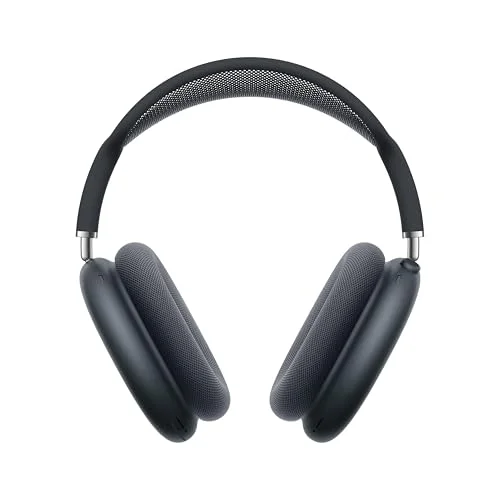
Apple AirPods Max 2 Wireless Over-Ear Headphones – Midnight | Active Noise Cancellation, A |

AirPods Max 2 decode Apple Spatial Audio with dynamic head tracking, the iOS-native version of Atmos.
Apple’s AirPods Max 2 are over-ear headphones built around the H2 chip, delivering high-fidelity sound with deep bass and crisp highs. They support Personalized Spatial Audio with dynamic head tracking, Apple’s branded take on Dolby Atmos for headphone output.
Pair them with an iPhone, iPad, or Mac, and compatible content plays back with true three-dimensional positioning.
Ideal for Apple users who stream movies, play games, or listen to Atmos-encoded music, the Max 2 excel in immersive soundscapes. However, their premium price and lightning-fast battery drain on ANC-heavy settings make them less practical for long commutes without charging access.
|
2
|
soundcore by Anker Q20i Hybrid Active Noise Cancelling Headphones, Black | Over-Ear, Bluet |

soundcore Q20i connects to Dolby Access on PC, enabling full Atmos decoding for compatible content.
The soundcore Q20i is a budget-friendly over-ear option featuring hybrid active noise cancellation and 40mm drivers tuned with BassUp technology. On Windows, it supports Dolby Atmos for Headphones via the Dolby Access app, unlocking spatial positioning for games and streaming.
With 40-hour battery life and dual-device pairing, the Q20i works well for daily commuters and PC gamers alike. Its plastic build and average soundstage mean it lacks the premium feel of higher-end Atmos headphones.
|
3
|
Sennheiser HDB 630 Wireless Audiophile Headphones with Incl. Hi-Res Dongle | Included BTD |
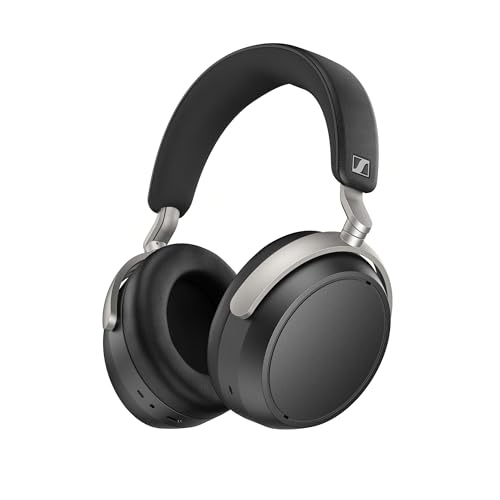
The HDB 630’s BTD 630 adapter and parametric EQ let it process Atmos via Dolby Access on PC seamlessly.
Sennheiser’s HDB 630 delivers audiophile-grade sound using a 42mm transducer and adaptive ANC, with a built-in parametric EQ for fine-tuning. When paired with the included BTD 630 adapter, it accesses high-resolution wireless codecs and Dolby Atmos on Windows through the Dolby Access app.
Designed for professionals and enthusiasts, the HDB 630 offer unmatched sound customization and neutrality. Their steep learning curve and $400-plus price tag make them overkill for casual listeners who just want Atmos effects.
|
4
|
Corsair HS65 Surround Wired 3.5mm PC PS5 Xbox Switch Gaming Headset – Black | Clear Microp |

The Corsair HS65 supports Dolby Atmos on PC via Dolby Access and delivers 7.1 surround sound for gaming.
Corsair’s HS65 is a wired PC gaming headset featuring 50mm neodymium drivers and Dolby 7.1 surround sound. It supports Dolby Atmos for Headphones on Windows when paired with the Dolby Access app, giving gamers directional audio cues in competitive titles.
Lightweight at 282g with memory foam earpads, the HS65 stays comfortable during long sessions. Its fixed USB connection limits mobility, and bass-heavy tuning may not suit all music genres.
|
5
|
Corsair Void v2 Wireless Bluetooth PC PS5 Switch Gaming Headset – Black | Clear Microphone |

The Corsair Void v2 wirelessly supports Dolby Atmos on PC and PlayStation, enabling spatial audio without extra apps.
Corsair’s Void v2 is a wireless gaming headset offering up to 70 hours of battery life and dual connectivity via 2.4GHz and Bluetooth. It features native Dolby Atmos support on PC and PS5, delivering directional audio for gaming and media consumption.
Thanks to low-latency 2.4GHz mode and seamless platform switching, the Void v2 adapts to multi-device setups. Its bulky frame and middling microphone clarity may disappoint users prioritizing call quality.
|
6
|
Beats Studio Pro Premium Wireless Over-Ear Headphones- Up to 40-Hour Battery Life, Active |
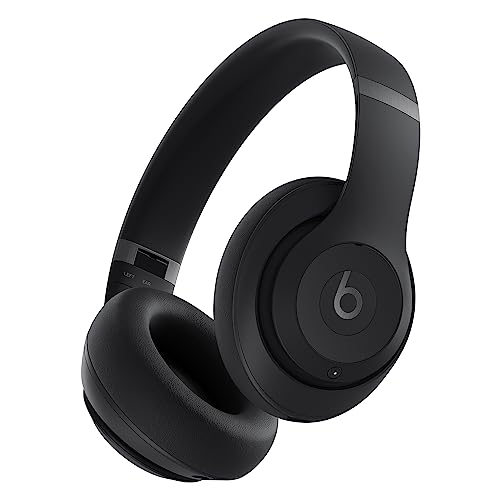
Beats Studio Pro support Dolby Atmos on iOS and Android, providing spatial audio synced to head movement.
Beats Studio Pro are premium over-ear headphones featuring adaptive ANC, USB-C lossless audio, and up to 40 hours of battery life. They support Dolby Atmos and spatial audio across both iOS and Android devices, offering immersive sound with dynamic head tracking.
Perfect for mobile users who watch videos or stream music on the go, the Studio Pro balance style and performance. Their high price and average ANC compared to Sony’s best remain notable downsides.
|
7
|
Xbox Wireless Gaming Headset | Carbon Black | Over Ear Headphones, Spatial Audio with Dolb |

The Xbox Wireless Headset supports Dolby Atmos on Xbox and Windows without requiring additional software.
Microsoft’s Xbox Wireless Headset delivers native Dolby Atmos support on Xbox consoles and Windows PCs, requiring no extra apps or licenses. Its 50mm drivers provide clear positional audio for games, while the adjustable headband ensures comfort.
Direct console pairing and intuitive dial controls make this headset ideal for Xbox Series X/S owners. Limited battery life at 20 hours and weak bass response may leave audiophiles unsatisfied.
|
8
|
Audio-Technica ATH-M20x Professional Studio Monitor Headphones, Black | Closed-back design |

These studio monitors don’t decode Atmos but reproduce spatial-processed mixes accurately for editing and playback.
Audio-Technica’s ATH-M20x are closed-back studio headphones with 40mm drivers tuned for accurate monitoring. While they don’t natively decode Dolby Atmos, they faithfully reproduce Atmos mixes processed by compatible DAWs or consoles.
Their durable build and excellent isolation suit recording studios and late-night listening. The lack of wireless connectivity and flat response make them unsuitable for casual consumers chasing immersive effects.
|
9
|
Sony WH-1000XM6 The Best Noise Cancelling Wireless Headphones, Black | HD NC Processor QN3 |

Sony WH-1000XM6 support 360 Reality Audio, Sony’s equivalent to Atmos, for spatial music and movies.
Sony’s WH-1000XM6 are flagship wireless headphones featuring HD NC processing and support for 360 Reality Audio, Sony’s spatial audio format similar to Dolby Atmos. Compatible with Android and iOS, they deliver immersive sound with adaptive noise cancellation.
Boasting 30 hours of battery life and industry-leading ANC, the XM6 excel in travel and urban environments. Their heavy price and reliance on Sony’s proprietary format limit cross-platform flexibility compared to Atmos-native options.
From Apple’s ecosystem-bound Max 2 to the Xbox Wireless Headset’s direct console integration, each pick unlocks Dolby Atmos where it counts, whether for gaming, movies, or mobile listening. Platform matters more than raw specs here, since Atmos only activates when both source and headphones agree.
Maintaining Spatial Audio Quality Over Time
Once you have Atmos working, keeping the effect sharp matters. Driver wear, software updates, and environmental factors can degrade the experience over months of use.
Headphone drivers settle in during the first 50 hours of use, altering frequency response slightly. Since Atmos relies on precise spatial imaging, recalibrating through platform apps like Dolby Access or Sony’s Headphones Connect helps restore balance. Regular firmware updates often improve HRTF accuracy, especially for gaming headsets updated post-launch.
- Store headphones in a dry case away from extreme temperatures.
- Clean ear cup padding monthly with microfiber to prevent seal degradation.
- Update device firmware quarterly through manufacturer apps.
- Avoid max volume levels to protect delicate driver diaphragms.
- Reset spatial audio calibration after major OS updates.
Avoiding Common Dolby Atmos Setup Mistakes
Even Atmos-ready headphones underperform when misconfigured. Small oversights like incorrect output formats or missing licenses silently downgrade spatial audio to stereo.
Bitstream vs. PCM Mismatches
Streaming devices and consoles default to uncompressed PCM unless told otherwise. To hear Atmos, set your output to Dolby Digital Plus or Dolby TrueHD bitstream, found under audio settings on Roku, Apple TV, or Xbox.
Using PCM forces the platform to downmix channels before reaching the headphone, collapsing height cues into flat stereo.
Software Licensing Gaps
On Windows, Dolby Atmos for Headphones requires either a one-time purchase or subscription through the Dolby Access app. Without activation, compatible content plays in standard stereo, not because hardware failed but because the decoding layer never enabled.
Always verify the license status in Settings > System > Sound before troubleshooting further.
Troubleshooting Quick Checks
| Issue | Fix |
|---|---|
| No spatial effect | Enable Atmos in Dolby Access app |
| Flat soundstage | Switch output to bitstream format |
| Head tracking lag | Restart device and recalibrate |
| Silent audio | Check cable or re-pair wireless connection |
Any headphone can play Atmos if the platform decodes it, choose based on your device ecosystem rather than raw specs. For most people, grabbing a headset certified for your console or PC unlocks Atmos immediately.
Try enabling the Dolby Access app or checking your console’s audio settings today to confirm spatial audio activates.

Leave a Reply